Blogger still works, and it costs nothing. But your posts, your images and your readers’ comments all sit in your Google account, on a platform Google can change or close as it did Google Podcasts. Picking a Blogger alternative is mostly about two questions. Which platform can take your old posts, and can you keep the links that already point to them? This page answers both.
Quick Comparison
| Alternative | Best for | Price (Oct 2026) | Imports Blogger | Your own domain | Open source |
|---|---|---|---|---|---|
| WordPress | Most blogs, with full control | Software free; WordPress.com free with ads, Personal about $4/month billed yearly | Yes, Blogger Importer plugin | Yes (WordPress.com from Personal) | Yes |
| Ghost | Blogs that are really newsletters | Ghost(Pro) Starter $18/month, Publisher $29/month, billed yearly; self-host free | Through WordPress first | Yes, every plan | Yes |
| Hugo static site | Technical users who want free hosting | Free, for example on Codeberg Pages | Community converters | Yes | Yes |
| WriteFreely or Write.as | Minimal blogs that Mastodon users can follow | Self-host free; Write.as Pro from about $6/month | No import tool listed | Write.as Pro and up | Yes (AGPL) |
| Bear Blog | Tiny, fast blogs with no trackers | Check current plans | Copy posts by hand | Yes | Source code public |
| Substack | Newsletter-first writers | Free; keeps 10% of paid subscriptions plus card fees | Check its import tool | Check current terms | No |
Which One Should You Pick?
- For a blog you want to keep whole, with every post, comment and image, use WordPress.
- For a blog that’s really a newsletter, or one you want readers to pay for, use Ghost.
- For a small personal blog you want fast and free of trackers, use Bear Blog.
- If you’d like people on Mastodon to follow your posts, use WriteFreely or Write.as.
- If you’re comfortable with Git and Markdown, use Hugo on free static hosting.
- If you only want a newsletter with the least setup, Substack is the quickest start.
The Alternatives, One by One
WordPress
WordPress is free, open-source software for blogs and websites. You can run it on almost any web host, or use WordPress.com, run by Automattic in the US, which hosts it for you. The Blogger Importer plugin reads Blogger’s XML backup and brings in published, scheduled and draft posts, non-spam comments, and labels (as categories). It also downloads your images rather than linking to Google’s copies.
- Pick it because it’s the easiest way to take a whole Blogger blog, images included, and you can move the same site to another WordPress host later.
- Possible deal-breakers are that the importer skips pages, widgets and your theme, and it’s showing its age. It was last updated about two years ago, it’s tested only up to WordPress 6.6, and some users report failed imports. If an import stops partway, run it again, and it skips posts it already copied.
- Prices (Oct 2026) start at free on WordPress.com, with WordPress.com ads shown to visitors. Personal costs about $4/month billed yearly, removes the ads and lets you use your own domain and install plugins. Self-hosting is free software plus your host’s price.
Ghost
Ghost is open-source publishing software from a non-profit, built for blogs, email newsletters and paid memberships. Ghost takes no cut of paid subscriptions, though payment processor fees still apply.
- Pick it because writing, publishing and emailing your readers happen in one place, and you can host it yourself for free.
- A possible deal-breaker is that Ghost has no Blogger importer. You import the blog into WordPress first, then use Ghost’s built-in WordPress migrator. For larger or complex moves, Ghost(Pro)’s migrations team may be able to help. Paid subscriptions start on the Publisher plan.
- Ghost(Pro) prices (Oct 2026) are $18/month for Starter and $29/month for Publisher, billed yearly, each with up to 1,000 members. Self-hosting is free, but you run the server.
Hugo and Other Static Sites
Hugo is an open-source static site generator that turns Markdown files into a fast website. You can host the result for free on Codeberg Pages, run by the German non-profit Codeberg e.V., with your own domain.
- Pick it because it costs nothing, has no ads or trackers you didn’t add, and your blog becomes a folder of plain files you can host anywhere.
- Getting your posts in. Hugo’s migration page lists community tools for Blogger. blogger2hugo converts the feed.atom file from Google Takeout, blog2md converts Blogger’s XML export and saves comments to separate files, and blogger-to-hugo also downloads embedded images.
- The deal-breaker is that you need Git and some command-line work, and a static site has no built-in comments.
WriteFreely and Write.as
WriteFreely is open-source (AGPL) blogging software focused on writing, with no feeds, likes or notifications. It runs on very modest hardware, even a Raspberry Pi. It supports ActivityPub, so people on Mastodon and similar services can follow your blog and share your posts. Write.as is the hosted service built on it.
- Pick it because it’s calm and minimal, and it connects your blog to the fediverse.
- Possible deal-breakers are the lack of an import tool, so you copy posts across, and very few design options. New free Write.as accounts are closed for now.
- Write.as prices (Oct 2026) start at about $6/month for Pro, which adds your own domain. Self-hosting WriteFreely is free.
Bear Blog
Bear Blog is a tiny blogging platform that promises no trackers, no JavaScript and no stylesheets, just your words. It’s plain on purpose.
- Pick it because it’s the lightest way to keep writing in public, and you can point your own domain at it under Settings → Custom domain.
- Possible deal-breakers are that it’s very minimal, and you copy your Blogger posts in by hand, so it suits a fresh start or a handful of posts. Check its site for current plans and what the paid upgrade adds.
Substack
Substack is a newsletter platform where each post goes to your subscribers’ inboxes and a web archive.
- Choose it if you want a newsletter with paid subscriptions and almost no setup.
- Possible deal-breakers are that it isn’t a privacy pick, and it keeps 10% of paid subscription revenue plus card fees. Check whether its import tool accepts your Blogger posts before you count on it.
Check Three Things Before You Move
- Where your blog lives. If readers reach it at your own domain, you control the address and can keep every link working. If it’s on blogspot.com, the address stays with Google, and you can only point people onward.
- Your images. The export file links to images on Google’s servers. Your new platform has to download them while the Blogger blog is still online.
- Google extras. AdSense ads, Google Analytics and embedded YouTube videos don’t move with the posts. Replace them as you go. Our Google Analytics alternatives list cookieless stats tools.
How to Switch From Blogger
Back up Your Blog
- Sign in to blogger.com and pick the blog from the blog list at the top left.
- In the left menu, click Settings. Under Manage blog, click Back up content, then Download. Keep the XML file safe.
- To keep your design for reference, click Theme, click the down arrow next to Customize, choose Backup, then Download.
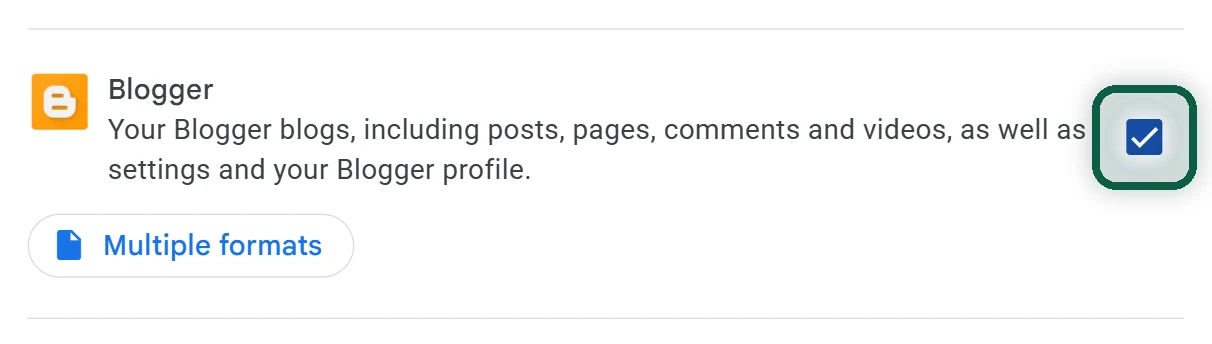
You can also export through Google Takeout by ticking Blogger. It gives you a feed.atom file for each blog, which is what blogger2hugo reads. Our Google Takeout guide explains the export screens.
Import Into WordPress
- Set up your WordPress site. On WordPress.com you need a paid plan to install plugins.
- Under Plugins, add and activate Blogger Importer.
- Go to Tools → Import, choose Blogger and upload your XML file. The plugin’s own page still uses Blogger’s old menu names, but the file from Back up content is what it needs.
- Map each Blogger author to a WordPress user and let the import finish. Your server has to reach Blogger to download the images.
- Re-create your Blogger pages (such as About) by hand, since the importer skips them. Convert categories to tags afterward if you prefer.
Or Move on to Ghost
- Import into WordPress as above. A temporary WordPress site works.
- In WordPress, export All content to get a WordPress XML file.
- In Ghost Admin, open Settings → Advanced → Import/Export and use the WordPress migrator. Upload the file, check the post and page counts, then click Import content.
Ghost’s migrator takes files up to 100 MB and up to 2,500 posts. WordPress categories become Ghost tags.
Keep Your Old Links Working
If Your Blog Uses Your Own Domain
You own the address, so old links can keep working. Blogger post addresses look like /2024/05/post-title.html, and pages look like /p/about.html.
- Publish the new blog on its temporary address and check it on a phone.
- Set up redirects from the old addresses (details below).
- At your domain registrar, delete the Blogger records. That’s the
wwwCNAME pointing toghs.google.com, the security CNAME Blogger gave you, and the four A records starting216.239.for the bare domain. Add the records your new host gives you. - Wait for DNS to update, then open a few old links from search results and bookmarks to test them.
On WordPress, the simplest fix is to copy Blogger’s pattern. Under Settings → Permalinks, choose Custom Structure and enter /%year%/%monthnum%/%postname%.html. That only works if your imported posts kept the same slugs, so test a few. Otherwise, use a redirect plugin. The importer saves each post’s old Blogger address in a field called blogger_permalink, which helps you build the list.
On Ghost, download the redirects file under Settings → Labs, add rules and upload it again. If your Ghost slugs match the Blogger ones, two rules cover every post and page.
301:
  ^\/\d{4}\/\d{2}\/([a-z0-9-]+)\.html$: /$1/
  ^\/p\/([a-z0-9-]+)\.html$: /$1/
Google says your blogspot.com address redirects to your custom domain once one is set up. If you leave that setting in place after moving, old blogspot links may keep reaching your domain, where your new redirects take over. Test it before relying on it, and don’t delete the Blogger blog until you’re sure.
If Your Blog Is on blogspot.com
Blogger has no setting that forwards a blogspot.com address to another website, so the old address stays with Google.
- Publish a final post on Blogger with a clear link to your new blog, and pin it to the top.
- In Settings, find Site feed, click Post feed redirect URL, paste your new blog’s feed address and save. Feed readers then follow you to the new site.
- Leave the old blog online, so old links and search results still lead somewhere useful.
Blogger was probably one of several Google products on your account. Our free scan lists the others from files you download yourself, without uploading anything.
What You Lose
Partial is fine. Back up your blog today, even if you move it next year.