You don’t have to leave Google all at once to take back some privacy. If you still use Gmail, YouTube or Maps, the settings below decide how much of your activity Google keeps. Turning off Google tracking costs nothing, and most settings take a minute each.
Do them on a computer if you can, since that’s where Google’s controls are easiest to reach. Then spend five more minutes on each phone that has used Google Maps.
Decide Whether to Pause or Delete Before You Start
Every setting here has two separate actions. Turning it off (Google often says “pause”) stops new activity being saved. Deleting removes what’s already there, and you can’t get it back. Decide which you want before you click. If you’re also planning to export your data, run Google Takeout first.
1. Web & App Activity
This is the big one. It saves your searches and activity across Google’s apps and sites to your account.
- Go to myaccount.google.com/activitycontrols.
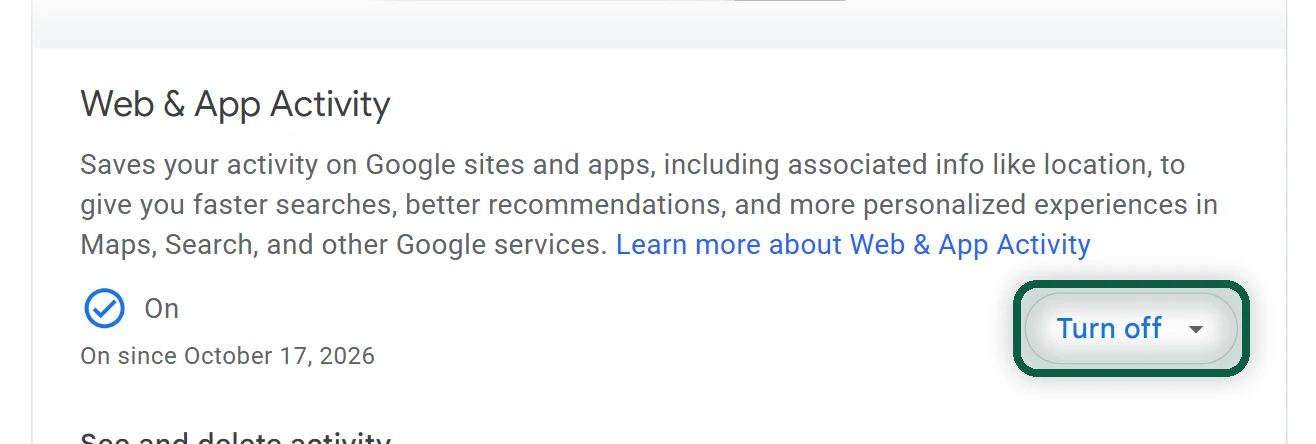
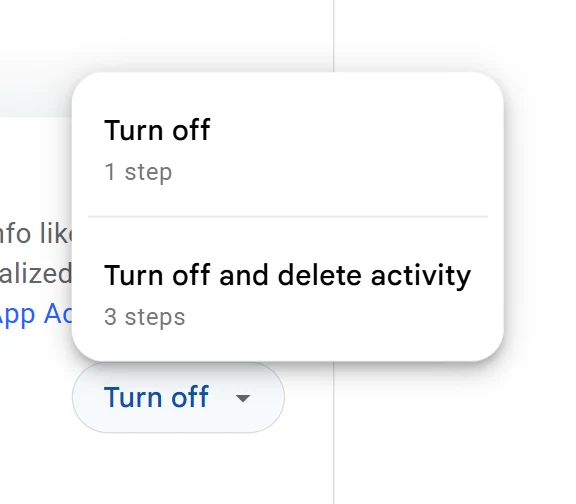
- On Web & App Activity, click Turn off.
- Choose Turn off (stop saving) or Turn off and delete activity (stop saving and remove the history), then follow the prompts.
If you keep it on, untick the two sub-options Include Chrome history and activity from sites, apps, and devices that use Google services and Include voice and audio activity.
On Android, open Settings, tap your name or Google, then Manage your Google Account, Data & privacy, and History settings, and tap the setting.
2. Auto-Delete, If You’d Rather Keep History On
Auto-delete is a middle ground. Recent history keeps working for suggestions, and older history is removed on a schedule. It’s set per setting, not once for everything.
- Go to myaccount.google.com and click Data & privacy.
- Under History settings, pick a setting (Web & App Activity, for example).
- Click Auto-delete, choose a period, then Next and Confirm.
The choices are usually 3, 18 or 36 months, or no auto-delete. Pick the shortest. In 2020 Google set an 18-month default for new accounts (36 months for YouTube history), so an older account may still have no auto-delete at all.
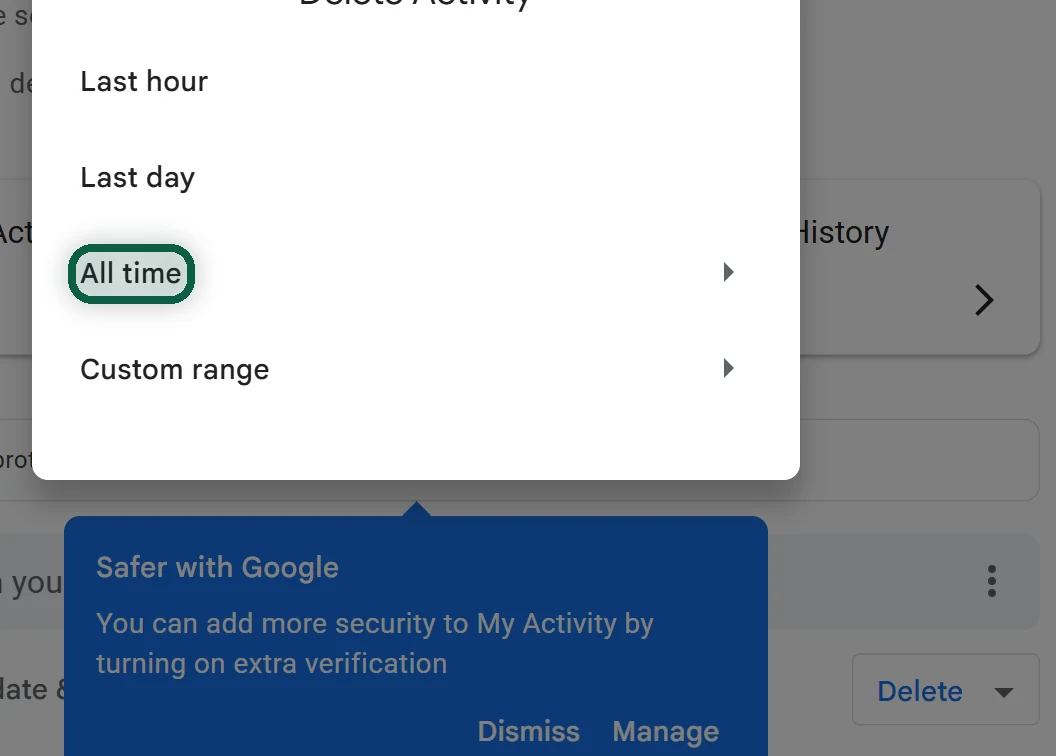
To clear what’s already there, go to myactivity.google.com, click Delete, choose All time, then Next and Delete. You can also filter by date or product and delete only the results.
3. Timeline (Formerly Location History)
Timeline is the record of places you’ve been, and it has changed a lot recently.
- In December 2023 Google said Timeline would be saved on your device, and that the default auto-delete for new users would drop to 3 months.
- Timeline is no longer available in Maps on a computer. Its data lives on each phone, with an optional encrypted backup on Google’s servers.
- Google set a deadline to move old cloud Timelines to a phone. For most people it was June 9, 2025. Data that wasn’t moved by then was deleted.
- In September 2026, Ireland’s data protection regulator fined Google €403 million over how it collected and kept users’ location data between 2018 and 2020.
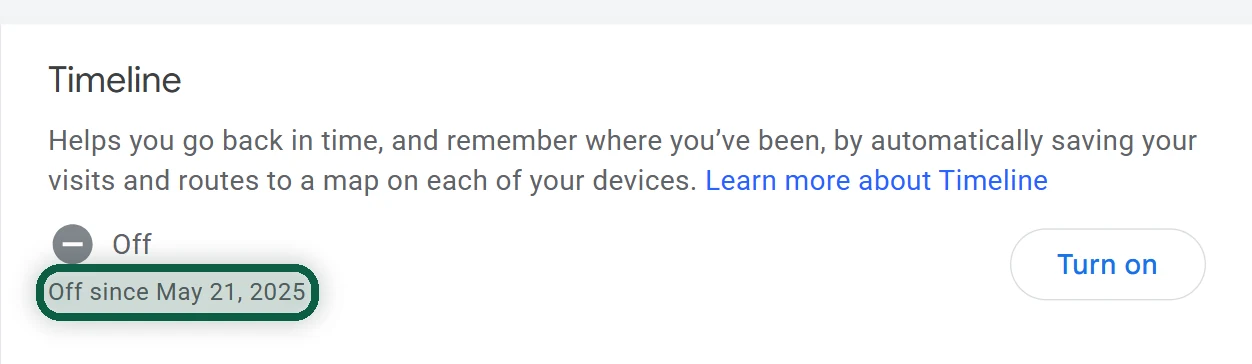
Google says Timeline is off by default. If you ever turned it on, here’s how to turn it off and clear it.
Turn it off for your account. Go to myaccount.google.com/activitycontrols/location and turn Timeline off. On iPhone, in the Google app, tap your profile picture, then Manage your Google Account, Data & privacy, History settings, Timeline, turn it off, then tap Pause and Okay.
Delete it from each phone. Follow these steps in the Google Maps app.
- Tap your profile picture, then Your Timeline.
- Tap More (three dots), then Settings.
- Under “Location settings,” tap Delete all Timeline data or Delete Timeline Range.
- If you keep Timeline on, set Automatically delete Timeline data to the shortest period.
4. Location Settings on Android
On many Android phones, Timeline also has its own menu in the system settings. The path is usually Settings, then Location, then Location services, then Timeline, though it varies by phone maker. There you’ll typically find options to export your Timeline data (one file for what’s on that phone), delete it, and manage the backup. If you want a copy, export before you delete.
Two more things matter on Android.
- Web & App Activity keeps some location. Google says device location and IP address saved in Web & App Activity are deleted after 30 days. Turning Web & App Activity off stops that saving.
- Advertising ID. Android lets you reset or delete your advertising ID in the system settings. Search Settings for “ads” to find it, and delete it.
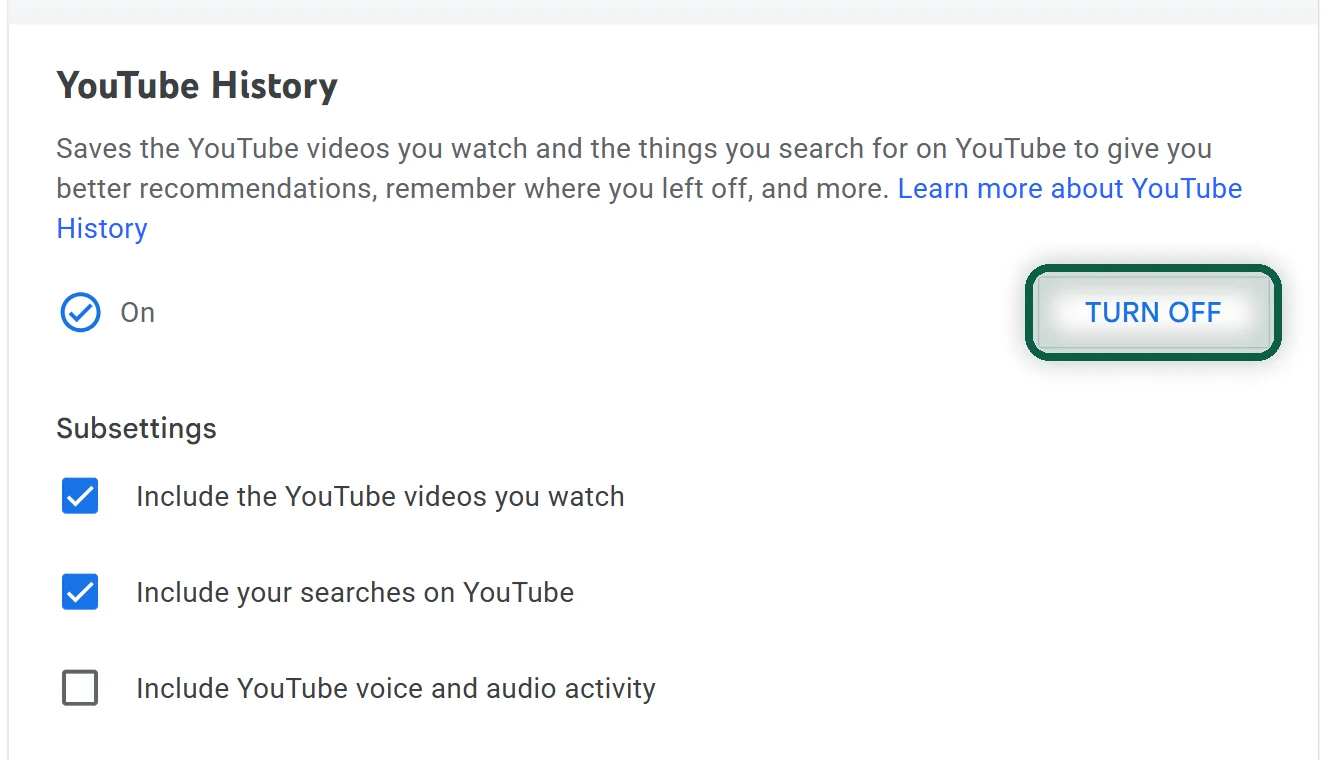
5. YouTube History
On a computer, you can do three things.
- To turn it off, go to myactivity.google.com/product/youtube, open Controls, and click Turn off. When it’s on, it can include the videos you watch, your searches, and voice and audio.
- To set auto-delete, open YouTube History in My Activity, then Manage history, Auto-delete, choose a period, then Next and Confirm.
- To delete past history, use Delete on the same page. This also removes search history for the range you pick.
In the Android app, tap your profile photo, then Settings, Manage all history, open the Controls tab, and untick Include the YouTube videos you watch. The iPhone app is similar. If you watch signed out, go to Settings, then History & privacy, where you can pause and clear watch history.
6. Personalized Ads (My Ad Center)
If you’re signed in, go to myadcenter.google.com, select Off next to Personalized ads, and confirm. This deletes the topic and brand preferences Google had for you, and applies on every device where you’re signed in, including partner sites.
If you’re signed out, go to adssettings.google.com in each browser and turn off Personalized ads on Google Search, Personalized ads on YouTube and Personalized ads on sites that partner with Google.
For partner sites, go to adssettings.google.com/partnerads, turn off Get personalized ads when you visit sites that partner with Google and untick Also save data in your Google Account from sites and apps that partner with Google.
In YouTube on Android while signed in, open Settings, then Privacy, Google ad settings, and set Personalized ads to Off.
You’ll still see ads. They stop being based on your profile.
7. Keep Activity in Gemini
Google renamed “Gemini Apps Activity” to Keep Activity in 2025. It controls whether your Gemini chats are saved to your account.
- Go to myactivity.google.com/product/gemini.
- Turn Keep Activity off.
- If you leave it on, set auto-delete. The default is 18 months; 3 or 36 months, or no auto-delete, are also offered.
In the Gemini app, the same setting sits in the activity section of your profile menu, though the wording varies.
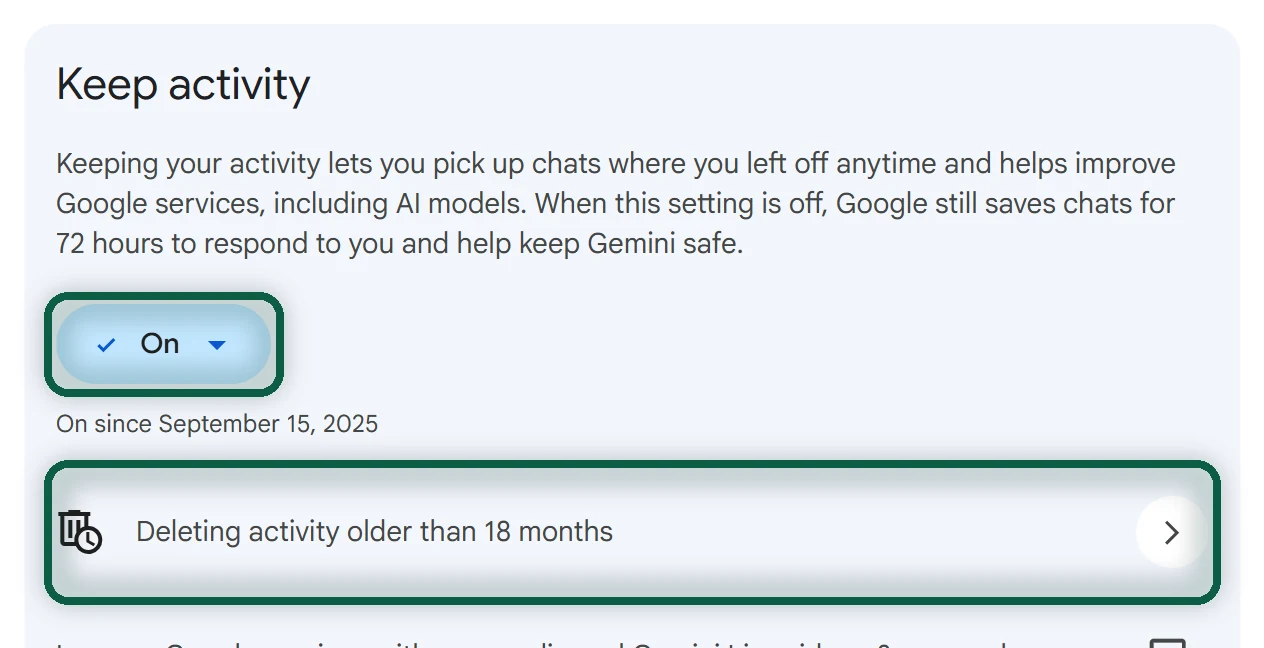
Even with Keep Activity off, Google keeps chats with your account for 72 hours. Google also says human reviewers read a subset of Gemini chats, and that reviewed chats are kept for up to three years, disconnected from your account. Temporary chats are kept for 72 hours and aren’t used for training. With Keep Activity on, Google says a sample of your future uploads is used to help improve its services.
Also check Gemini’s settings for a personal context section. An option there that uses your past chats with Gemini was on by default when Google introduced it.
8. Gmail Smart Features (Two Switches)
Gmail’s smart features let Google’s systems process your email content. They’re on by default in many accounts. Google says it does not use Gmail content to train its Gemini AI model. There are two separate switches, and you need both.
On a computer, follow these steps.
- In Gmail, click the gear, then See all settings, and stay on the General tab.
- Next to Smart features, untick Turn on smart features in Gmail, Chat, and Meet.
- Next to Google Workspace smart features, click Manage Workspace smart feature settings. Turn off Smart features in Google Workspace and Smart features in other Google products, then click Save.
On Android, open the menu in Gmail, then Settings and your account. Under General, untick Smart features, then turn off both Google Workspace smart features options.
On iPhone, open the menu in Gmail, then Settings. Under General, open Data privacy, turn Smart features off, then turn off both Google Workspace smart features options and tap Done.
What Happens Next
These settings apply to one Google account. If you have several, repeat the steps for each. Check back every few months, since Google renames and moves these controls, and new ones arrive with new products.
Turning tracking down is a real step on its own. If you want to go further, the degoogle guide shows which services are easiest to replace first, and our scanner works out which Google services you actually use from a small Takeout, without uploading anything.