The right Google Chat alternative depends on who you chat with. A family group, a handful of friends and a 40-person volunteer team need different tools. This page gives you one pick for each case, the prices as of October 2026, and a plan to move each group without losing anyone along the way.
Google Chat sits inside Gmail and runs through your Google account. Personal Chat messages aren’t end-to-end encrypted, so Google’s systems handle the content of every message. Google offers client-side encryption, which it describes as end-to-end, only to organizations on some top Workspace plans.
Quick Comparison
| Alternative | Best for | Price (Oct 2026) | Encryption | Based in | Open source |
|---|---|---|---|---|---|
| Signal | Family and friends | Free; optional backups about $1.99/month | End-to-end, always on | USA (non-profit foundation) | Yes |
| Element (Matrix) | Communities, clubs and teams | Free app; self-hosted Community edition free up to 100 users | End-to-end by default | UK company; self-host anywhere | Yes |
| Threema | Chat without a phone number | About 6.00 one-time; Work 3.00–5.00 per user/month | End-to-end | Switzerland | Yes |
| Wire | Small teams that want encryption | Free up to 5 people; about €7.45 per person/month billed yearly | End-to-end | Switzerland | Yes |
| Zulip | Busy teams that like topic threads | Cloud Free; Standard about $6.67 per user/month billed yearly | Not end-to-end | Zulip Cloud or your own server | Yes |
| Mattermost, Rocket.Chat | Organizations that self-host | Free self-hosted editions; paid plans by quote | Your server (Rocket.Chat has optional end-to-end) | Your own server | Yes |
Which One Should You Pick?
Sort your Google Chat conversations into groups first. Most people end up with two apps at most.
- For your partner, family and close friends, use Signal. It’s simple, free and available on every phone.
- For a club, a school parents’ group or an online community, use Element. Spaces hold several rooms, much like Google Chat spaces do.
- For a small business or volunteer team, use Wire if you want encryption and the free plan fits, or Zulip if long, busy discussions get lost in a single chat stream.
- For people who don’t want to hand over a phone number, use Threema. You pay once and never give it a number or an email address.
- If your workplace runs on Google Chat, keep it for work only. That’s a reasonable place to stop.
The Alternatives, One by One
Signal
Signal is run by Signal Messenger LLC, owned by the Signal Foundation, a US non-profit. Messages, calls and group chats are end-to-end encrypted, and there are no ads.
- Pick it because it’s the easiest way to get a family onto encrypted chat. Since 2024 you can share a username instead of your number. Group video calls hold up to 75 people.
- Watch for these deal-breakers. You need a phone number to register, and the desktop app only works linked to your phone. There are no spaces or threads, so a 50-person group with several topics gets noisy.
- It’s free. Secure Backups keep all your text (up to 100 MiB) plus the last 45 days of media at no cost. Full media backups up to 100 GB are about $1.99/month (Oct 2026).
- It runs on Android, iPhone, Windows, macOS and Linux.
Our Google Messages alternatives page explains how to get relatives onto Signal, which is the same job here.
Element (Matrix)
Element is the main app for Matrix, an open, federated chat network. You can sign up on a public server such as matrix.org, join one your community runs, or run your own. Spaces group rooms together, and direct messages and private rooms are end-to-end encrypted by default.
- Pick it because it’s the closest match to Google Chat spaces, and nobody owns the network. Element Call adds encrypted voice and video next to the chat.
- A possible deal-breaker is that it takes more learning than Signal. Save your recovery key when Element asks for it, or you can lose access to old encrypted messages after signing out. Federation also copies room history to every server that has members in the room, so leaving doesn’t erase it everywhere.
- The app is free (Oct 2026). Organizations can self-host the free Community edition, open source under the AGPL and listed for 1 to 100 users. Element’s Enterprise plan is priced per seat, and the price isn’t published.
Threema
Threema is a Swiss messenger that needs no phone number or email address. You get a random ID, and the apps are open source.
- Pick it if you want a messenger that isn’t tied to your phone number, or a European company.
- The deal-breaker is that, because it’s paid, fewer of your contacts will already have it.
- Threema costs about 6.00 once (Oct 2026), in your app store’s currency. Threema Work, the business version, costs 3.00 per user per month for Core and 5.00 for Professional, paid yearly, with a 30-day trial for up to 30 users.
Wire
Wire, from Wire Swiss GmbH, is an end-to-end encrypted chat app built for teams, with personal accounts too.
- Pick it for a small business or association that wants Slack-style chat with encryption on by default.
- The deal-breaker is that the free plan stops at 5 people (and 8 devices), so a growing team will pay.
- The free plan costs nothing (Oct 2026). SMB costs about €7.45 per person per month billed yearly, or €8.94 monthly, for teams of up to 100. Bigger organizations get a quote.
Zulip
Zulip is open-source team chat organized by topic. Every message belongs to a named thread inside a channel, so you can catch up on one subject without scrolling through everything.
- Pick it for active teams, open-source projects and communities with lots of parallel discussions.
- The deal-breaker is that messages aren’t end-to-end encrypted. You trust Zulip Cloud or your own server.
- Zulip Cloud Free (Oct 2026) keeps a 10,000-message search history and 5 GB of files. Standard costs about $6.67 per user per month billed yearly, or $8 monthly. Self-hosting is free, and Zulip gives free Cloud Standard to open-source projects, most small non-profits and many communities.
Mattermost and Rocket.Chat
Both are team chat platforms that organizations run on their own servers. Choose one of these when an IT person, or a technical volunteer, will look after it.
- Mattermost has two free self-hosted options. Team Edition is open source and meant for teams under 250 people. Entry is a free mode of the commercial edition, and Mattermost says it will cap visible history at 10,000 messages. Paid plans have no public price, so you ask Mattermost for a quote.
- Rocket.Chat is open source under the MIT license, with a free self-managed Starter workspace. End-to-end encryption can be switched on for messages and files. Its paid plans are quote-only and aimed at large organizations and governments.
How to Switch From Google Chat
The technical part is quick. Moving people is the real work, so do it one group at a time.
Export Your Chat History First
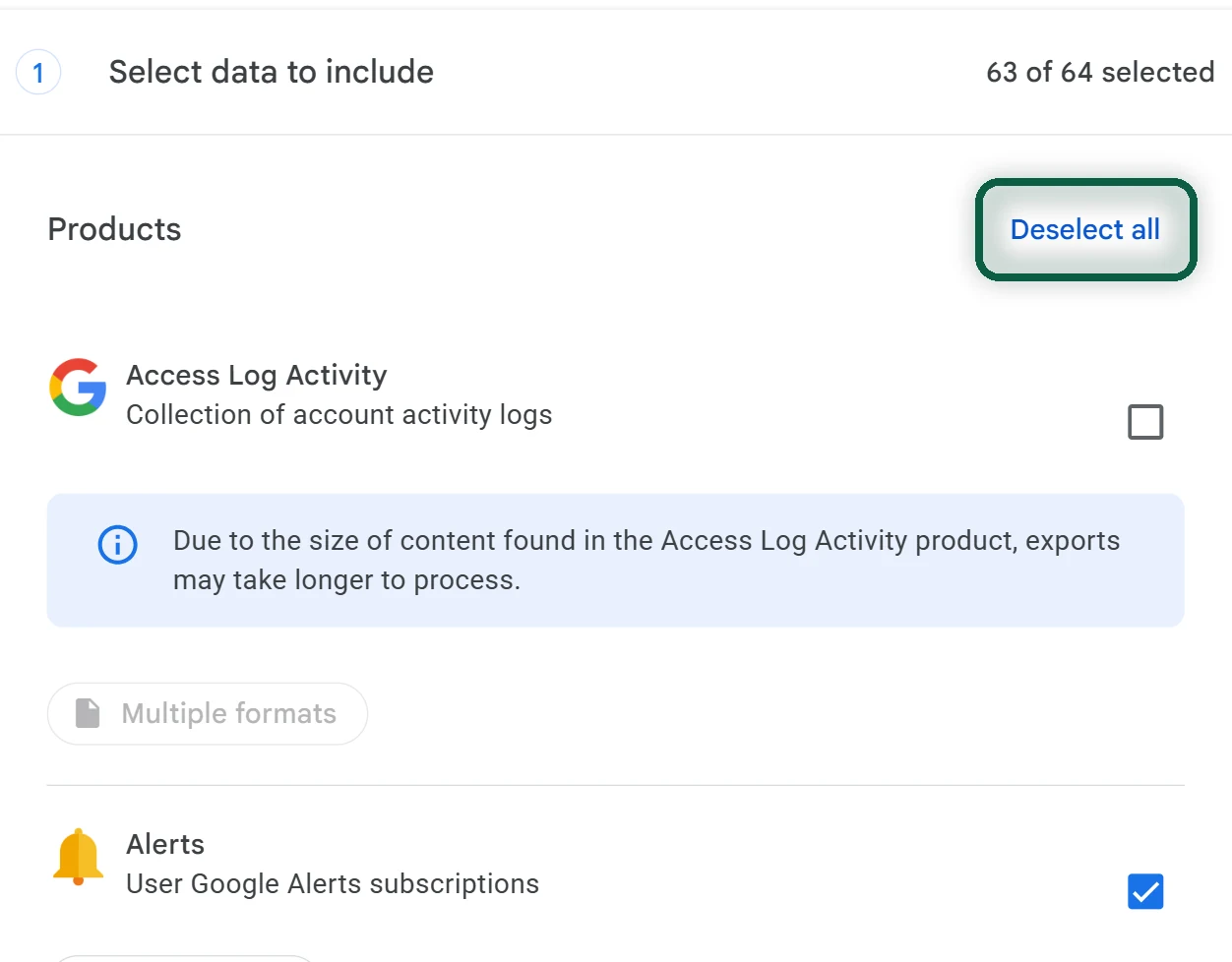
- On a computer, open takeout.google.com and click Deselect all.
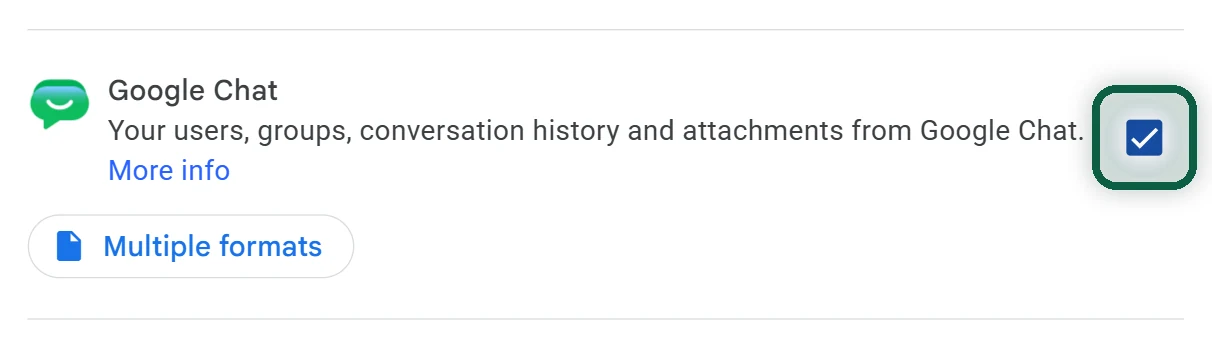
- Tick Google Chat, click Next step, then Create export.
- When Google’s email arrives, click Download archive and save the zip somewhere safe. Download links expire after about 7 days, and each archive can be downloaded 5 times.
The export includes your direct messages, group messages and spaces, with their attachments. Treat it as an archive. It isn’t meant for comfortable reading. Group messages and spaces created by people with a work or school account aren’t included, so ask the space owner if you need those. Files shared as Drive links stay in the owner’s Drive. Download the ones you want to keep. Our Google Takeout guide covers the export options in more detail.
Create a New Home for Each Group
- Make a list of the groups and people you chat with, and choose an app for each one using the advice above.
- For Signal, create a new group, add the people you have as contacts, then turn on the group link in the group’s settings so others can join.
- For Element, create a space, add a room for each topic, and copy the space’s invite link.
Move the People, Then Close the Old Space
- Post a short message in the Google Chat space or group with the invite link and a cut-over date, and pin it. Two weeks is usually enough.
- Message the people who haven’t joined by the halfway point, one by one. A direct ask works better than an announcement.
- On the cut-over date, post a last reminder and stop replying in Google Chat.
- Once every group has moved, hide Chat in Gmail’s settings, and remove or disable the Google Chat app on your phone.
If some people never switch, that’s fine. Keep Google Chat for them, or move them to Signal one conversation at a time.