Brave is built on Chromium, the same open-source code as Chrome, so sites look the same and Chrome Web Store extensions install as usual. Its Shields block ads and trackers inside the browser itself, so they didn’t stop working when Chrome dropped the extension system uBlock Origin relied on. Brave reports 128 million monthly users (Sept 2026).
The trade-off is the extras. Brave ships Rewards, a crypto wallet, the Leo AI assistant, a VPN offer and News. This guide shows how to hide them. If you’re still weighing the two browsers, our Brave vs Chrome comparison covers privacy, ad blocking and speed. If you’d rather leave Chromium altogether, see Chrome to Firefox, and for the full comparison see our Chrome alternatives.
Before You Start
- Install Brave from brave.com on your computer.
- Save your open tabs. Bookmark them into one folder in Chrome.
- Decide where your passwords will live. Brave’s built-in password manager syncs between Brave browsers. A separate manager such as Bitwarden works in every browser and in your phone’s apps.
Import Bookmarks, History and Extensions
- Open Brave’s main menu (three lines), then Bookmarks, then Import Bookmarks and Settings.
- Select Chrome from the list of browsers Brave found. If you use several Chrome profiles, pick the right one.
- Tick what you want to bring. Brave adds Extensions and Payment methods to Chromium’s usual list of bookmarks, history and form data. Click Import.
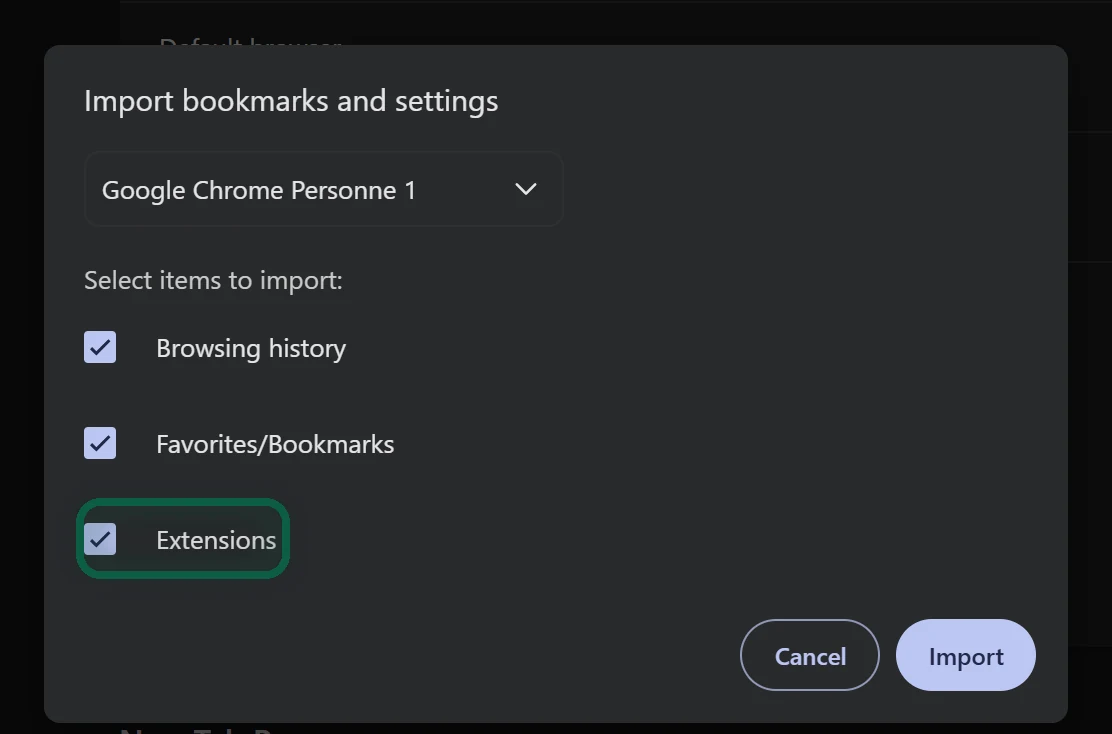
Brave’s help says this import can’t bring passwords, because of how Chrome encrypts them. They take one more step.
Move Your Passwords
- In Chrome, go to
chrome://password-manager/settings. Click Export passwords, then Download file, and enter your computer’s password. Chrome saves a CSV file. - In Brave, go to
brave://password-manager/settings. Under Import passwords, click Select file and choose the CSV. - Delete the CSV file and empty the trash.


The CSV is plain text. Before you delete it, you can use it to list every site that knows your Gmail address. Our scan reads it in your browser, ignores the password column and uploads nothing.
Prefer Bitwarden? Import the same CSV in Bitwarden’s web vault under Tools, then Import, with the format Chrome (csv), and install its Brave extension from the Chrome Web Store. Our password manager guide has the full steps.
Install Your Extensions
Anything that didn’t come across installs from the Chrome Web Store. Click Add to Brave and read the permissions box before you confirm. Manage your extensions at brave://extensions.
Chrome switched off Manifest V2, the older extension system, and Brave inherits that change from Chromium. Brave still supports four Manifest V2 extensions on a best-effort basis, namely AdGuard, NoScript, uBlock Origin and uMatrix. Brave hosts its own copies, separate from the Chrome Web Store versions. Turn them on at brave://settings/extensions/v2.
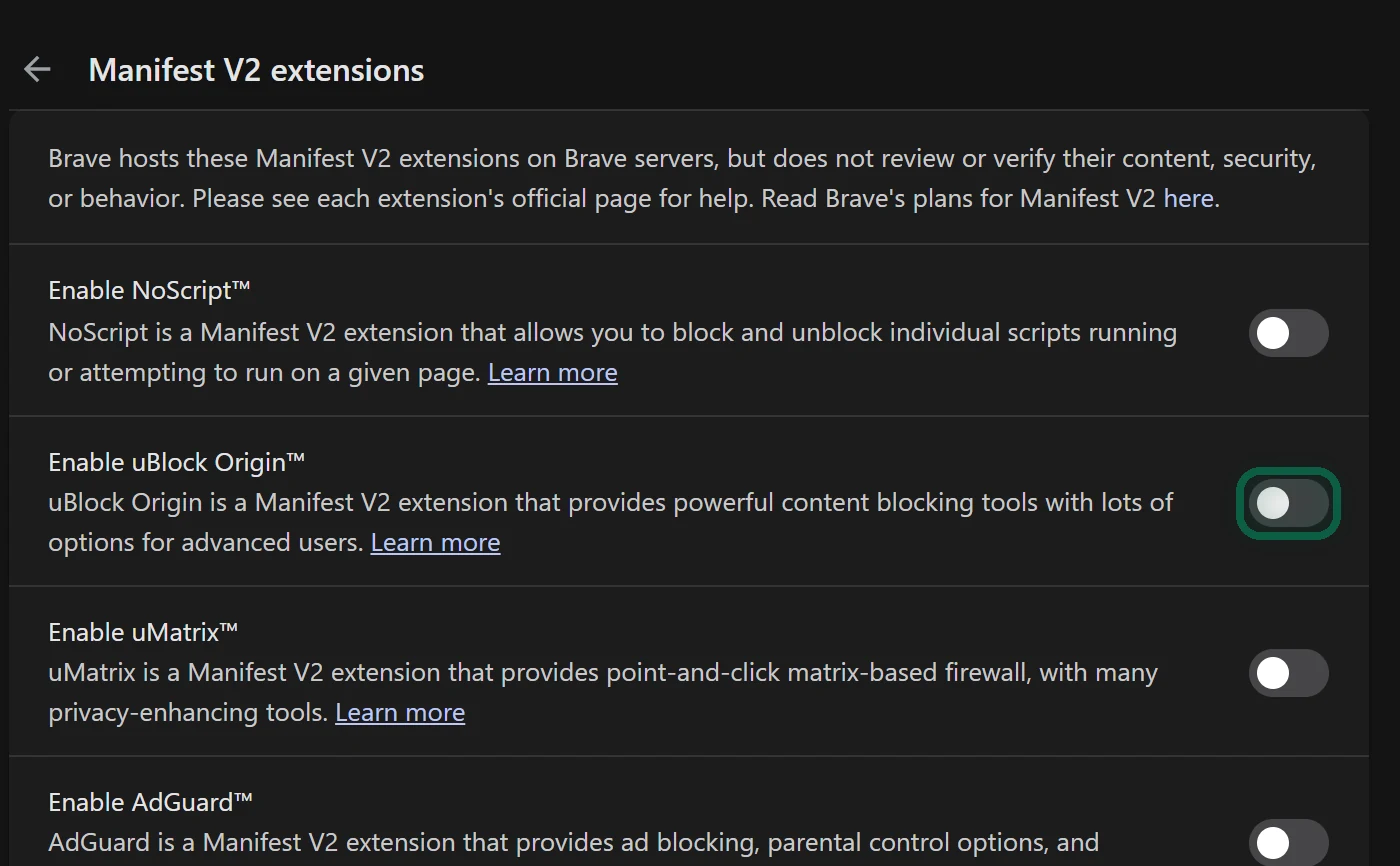
Most people can skip them, because Shields already block ads and trackers. Extensions work only in Brave on a computer. Brave’s Android and iPhone apps don’t run them.
Set up Shields
Shields are on for every site from the start. Click the lion icon in the address bar to see what’s blocked on the current page.
- If a site breaks, switch Shields off for that site in the same panel. The panel itself suggests trying Shields down when a site looks broken.
- To see every control, open Settings, then Shields, and set Default view to Advanced view. The panel then shows per-site blocking for trackers, scripts, cookies and fingerprinting, plus Forget me when I close this site.
- To change the defaults for all sites, use the same Shields settings page. It has Trackers & ads blocking, Upgrade connections to HTTPS, Block fingerprinting and Block cookies. Aggressive blocking catches more, and it’s more likely to break a site.
While you’re in Settings, open Search engine and check which engine Brave picked for you. Our Google Search alternatives page helps you choose.
Hide the Extras You Don’t Want
These steps follow Brave’s own help page from April 2026.
On a Computer
- Rewards. Open Settings, then Rewards, and turn off every ad option. Then right-click the Rewards icon in the address bar and choose Hide.
- New tab ads. On a new tab, click Customize, open Background Image and turn off Show Sponsored Ads.
- Wallet, Leo and VPN. Right-click each toolbar icon and choose Hide, or use Customize Toolbar under Settings, then Appearance. Remove Wallet and Leo from the sidebar too. In the Leo settings, also turn off Show Leo icon in the sidebar and Show Leo in the context menu on websites.
- VPN and Talk cards. On the new tab page, click the three dots on each card and choose Hide Brave VPN or Hide Talk.
- News. On a new tab, click Customize, select Brave News and turn off Show Brave News.
- Tor. Under Privacy and security, turn off Private window with Tor. This also removes the Tor components.
- Data collection. Under Privacy and security, find Data collection and turn off Automatically send diagnostic reports, Allow privacy-preserving product analytics (P3A) and Automatically send daily usage ping to Brave.
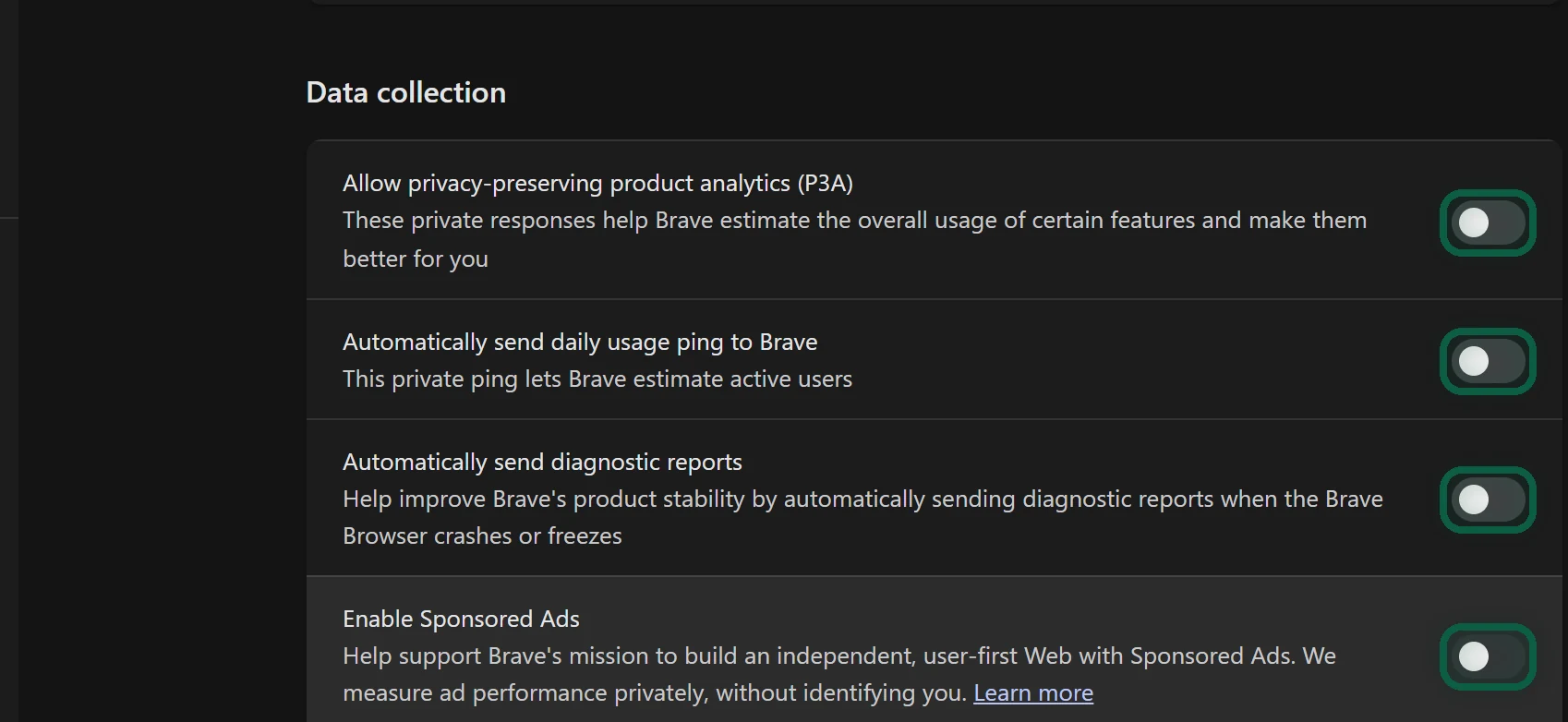
Hiding leaves the features in the browser. Brave supports Group Policy settings that remove Ads, Leo, News, Playlist, Rewards, Tor, VPN and Wallet entirely, but it says they’re only for people with strong technical knowledge. The other route is Brave Origin, a paid edition that costs $59.99 once (June 2026). It turns these features off by default, and its standalone desktop app leaves them out of the build. Origin is free on Linux.
On Android
- Rewards. Open the main menu, then Brave Rewards, and turn off the ad options. Then turn off the Rewards icon under Settings, then Appearance.
- News. Open the menu, tap Brave News and turn off Show Brave News.
- Leo. Leo stays in the menu, but under Settings, then Leo, you can stop it appearing in address bar suggestions and the quick search bar.
- Data collection. Open Settings, then Brave Shields & Privacy, scroll to the bottom and turn off analytics, diagnostic reports and the daily usage ping.
Brave’s help says you can’t hide Wallet or VPN on Android.
On iPhone
- Rewards. In Settings, open Rewards and turn off Enable Brave Rewards. Then turn on Hide Brave Rewards icon.
- New tab ads. Under New Tab Page, set Media type to Default images.
- News. Turn off Show Brave News.
- Data collection. Under Shields & Privacy, turn off analytics and the daily usage ping. Brave says crash reports can’t be turned off on iPhone.
Link Your Phone With Brave Sync
Brave Sync has no email login. You join devices into a sync chain with a code.
- On your computer, open Settings, then Sync, and click Start using sync.
- Click Start a new Sync Chain and choose Phone/Tablet or Computer.
- On a phone, install Brave, open its settings, tap Sync and scan the QR code. On another computer, click I have a Sync Code and type the words.
- In Sync Settings, choose what to sync, such as bookmarks, passwords, history, open tabs and extensions.
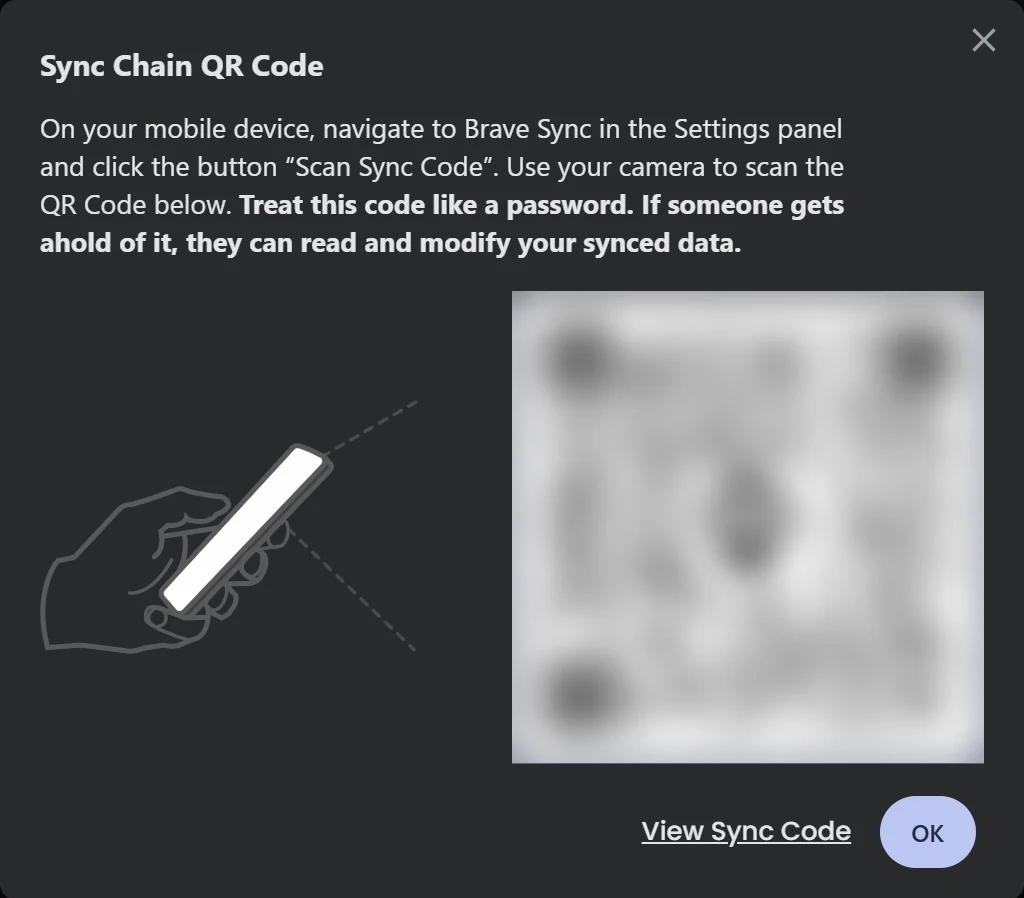
Brave warns you to treat the code like a password, because anyone who has it can read and change your synced data. Codes expire, so you can’t write one down for later. To add a device, create a fresh code on a device that’s already in the chain. Brave’s help pages say iPhone syncs fewer data types than computers and Android, so check the list on your iPhone.
Then make Brave your default browser. On Android, go to Settings, Apps, Default apps, Browser app. On iPhone, go to Settings, Apps, Default Apps, Browser App.
Close Out Chrome
- Sign out. In Chrome, click your profile picture, then Sign out of Chrome.
- Delete the synced copy. Go to chrome.google.com/data in Chrome and select Delete data.
- Keep a backup if you like. A Google Takeout export of Chrome saves your bookmarks and history.
- Uninstall Chrome, or disable it on an Android phone where it can’t be removed.
- Check your Sign in with Google logins with our Sign in with Google guide.